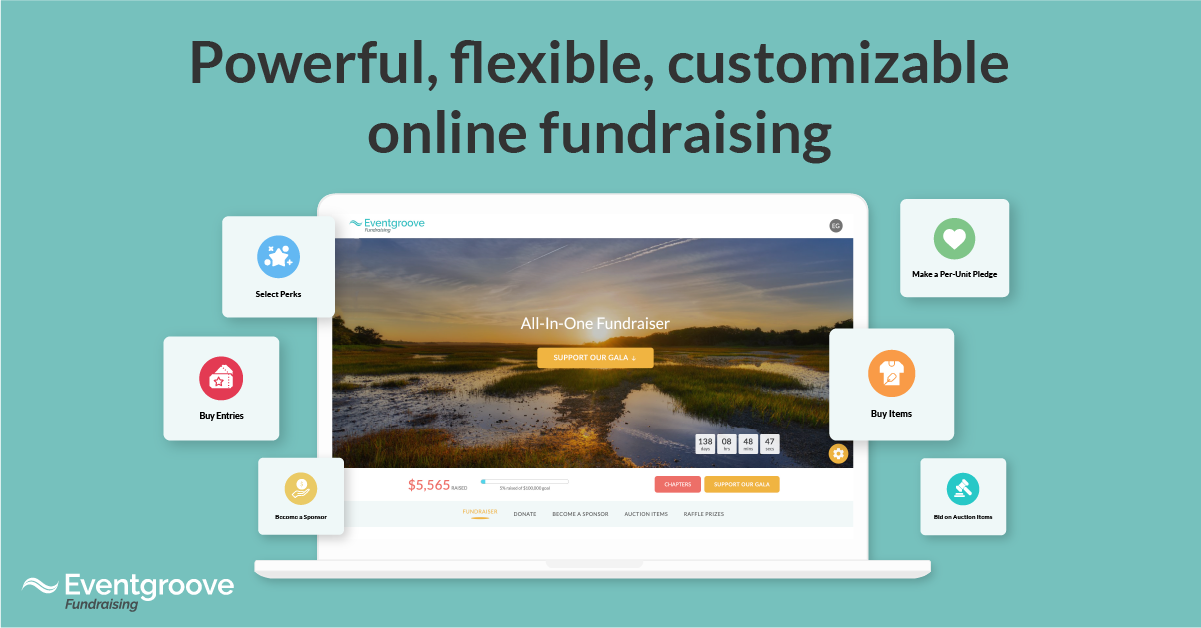
If you’ve set up a fundraiser in the last week, you already know the recent launch of all-in-one fundraising automatically updated the look and feel of all ongoing campaigns on Eventgroove Fundraising.
You may be asking…how can I customize my campaign? We’ve got you covered. The articles below will answer some popular questions about all-in-one fundraising and ensure you have the information you need to create your ideal fundraising campaign!
How do I reorder the sections in my campaign?
Follow these steps to adjust the layout of your campaign to focus on the sections that are most important. For example, you may want to move the “Donate Now” button to the bottom of your page.
To adjust the layout of your campaign, follow the simple steps below.
- Click My Campaigns in the left menu.
- Click Edit Campaign.
- Click on Advanced Options.
- Scroll to the tab titled Determine the order of sections on your Experience Page by dragging the boxes below
- Drag and drop each section box into your preferred order.
- Click Save at the bottom of the page.
How do I provide direct links to each component tab?
Provide easy access for donors to important information by enabling direct links to different tabs within your campaign. For example, you can provide your donors with a direct link to the raffles tab.
Each page within your campaign has a unique URL. To provide direct links to each page (tab) within your campaign, follow the simple steps below.
- Navigate to the page (tab) you wish to share with donors.
- Copy the page’s unique URL from the address bar of your browser.
- Paste the unique URL into your communication with your donors.
How do I rename tabs within my campaign?
Each tab on your fundraising page is customizable, and may contain up to 30 characters. Here's how to rename your tabs:
- Click My Campaigns in the left menu.
- Click Edit Campaign.
- Click on Advanced Options.
- Click on Campaign Options.
- Scroll to the tab titled Customize the tab titles on your Experience Page.
- Enter the text you wish to appear on each tab.
- Click SAVE at the bottom of the page
How do I email all donors?
You can send emails directly to all donors directly from the campaign management page. Provide donors with key updates, and campaign changes. For example, you may wish to let donors know about the update to the look and feel of your fundraising page.
To email all donors from your campaign management page, follow the simple steps below.
- Click View purchases.
- Click on the Supporters tab.
- Select email recipients by checking the box on the top-left of the table.
- Click Select all records above the list containing the names of each donor.
- Click Send email and compose your message in the space provided.
- Click Send.

How Selling Prom Tickets Online Works
Creating a ticket sales page takes no time, and you can customize it so it matches your prom theme and school branding. Here’s the shape of it:
- Create the event. Name (Enchanted Forest Prom, 2026), date, venue, capacity, dress code, anything else students should know.
- Set ticket types and prices. Most committees do one student ticket plus one guest or date. Some add an early bird ticket tier at a $10 discount for the first two weeks.
- Grab a shareable link. Drop it in the school newsletter, add it to a QR code on your prom posters, then drop it into the school’s socials and the committee group chat so everyone can share within their networks, and the principal’s morning announcements.
- Collect the money. Card and digital wallet payments flow straight into your account, whether someone pays in person at school or at the door on prom night.
- Scan tickets at the door. Each student arrives with their printed prom tickets or a digital version. A volunteer scams them using their phone.
6 Things to Look For in a Prom Ticketing Service
Not every ticketing platform is set up for school events. Three things that matter:
- Real-Time Data: Student planners and faculty advisors need to monitor sales and revenue, and access updated attendee reports.
- Clear Fees: Every platform makes its money through fees. These fees can be passed on to buyers or absorbed by the school. In addition, when credit cards are involved, processing fees always apply but may not be included in your free ticketing platform’s service. When these are not included in the platform price, you’ll need to organize online payments separately, which can result in a much higher per-ticket cost on your end.
- Online and physical tickets: Printing prom tickets is something many schools do – they’re a great memento of the night, and make the experience more special. Make sure your platform’s capabilities include tracking and scanning both printed and digital tickets.
- Easy attendee check-in: Look for a platform that lets you scan without an app or special equipment. When faculty can scan tickets using their mobile phone‘s browser, getting up to speed takes less time.
- Attendee management: You’ll want to track students as they enter, leave, and return. Ensure your service can support this.
- Ticketing adaptability: Creating ticket bundles, reserved seating, and comp codes for VIPS means your chosen platform needs to be flexible.
What to Charge For Tickets To Prom and When to Sell
On average, a prom ticket costs between $55–$125. The exact number depends on the venue, what the night includes (DJ, photos, dinner, flowers, and the like).
- Early Bird discount. Knock $10–$15 off the standard price for the first 2–3 weeks of sales. An early bird ticket strategy rewards students who buy first, builds momentum, and gives your committee how the night is tracking weeks before prom.
- Group bundles. Offer a small discount for friend groups buying 4 or 6 tickets together. Ticket bundling speeds up sales and they nudge friend groups to commit early.
- Reserved tables. If you want groups to sit together, set up your ticketing with reserved seating and sell whole tables as a single package.
- Day-of door pricing. Charge $10–$15 more at the door than online to encourages families to pre-buy.
Open sales 6–8 weeks before prom, switch from early bird to standard pricing 2–3 weeks in, and close online sales 24–48 hours before the dance so you can finalize the catering count.
A note on the platform side: Eventgroove’s setup is free, and the service fee on paid tickets is small (2% + $0.75 per ticket). You can pass that fee on to ticket buyers, and for free events, there are no fees at all.
If you’re looking for an efficent and easy way to sell school dance tickets and manage your attendees, we’d love it if you gave Eventgroove a try. Our ticketing platform is free for organizers, with low ticket-buyer fees, no hidden charges, and no contracts. Plus, we’re also online printers, so you order custom prom tickets, VIP badges, and flyers all in one place.
0 Comments